

LinkedIn Creator Monetization 2026: What's New and Who Qualifies
Short answer
On October 15, 2026, LinkedIn announced five new creator tools: a Network feed, paid Advice Sessions, revenue-sharing In-Stream Ads, digital business cards and a creator dashboard. Eligibility and rollout differ by feature, and LinkedIn hasn't confirmed a timeline for everyone to get access. Entrepreneurs and B2B marketers can start preparing content and profiles now, even before their account qualifies.
A marketing consultant logs into LinkedIn the morning after its October 15, 2026 announcement, expecting to see new ways to get paid for advice and content.
They've read the headlines: paid consultations, ad revenue, a dashboard built for creators.
Most of that isn't in their account yet. The only thing that's actually changed is a banner explaining what's coming.
That gap between the announcement and what shows up in any one account is the real story behind LinkedIn creator monetization 2026. LinkedIn confirmed five new tools on a single day, but confirming a tool exists and making it available to every member are two different things.
Here's what LinkedIn actually announced on October 15, 2026, how each feature works, who can use it right now, and what an entrepreneur or B2B marketer can reasonably do about it while the rollout is still in progress.
What LinkedIn Announced on October 15, 2026
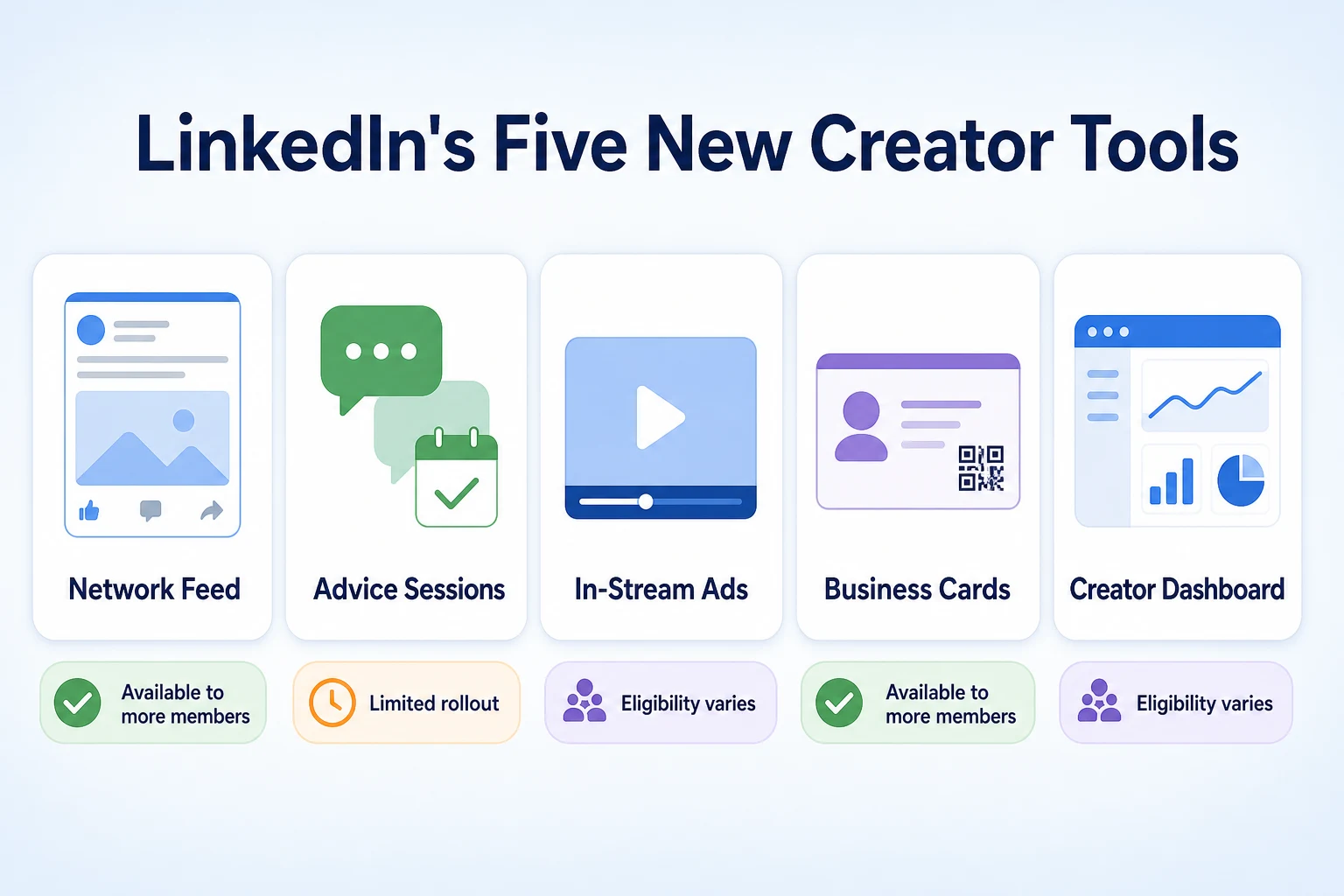
On October 15, 2026, LinkedIn introduced five new tools aimed at creators and small business owners at once: a Network feed, Advice Sessions, In-Stream Ads, digital business cards, and a creator dashboard. LinkedIn described the group as new ways for professionals to earn directly on the platform and grow a business from their profile.
The five features LinkedIn confirmed
Each of the five does a different job, and it's worth keeping them separate rather than treating the announcement as one single feature.
Network feed: a second, algorithmic feed that surfaces posts from a member's wider professional network, not only direct connections.
Advice Sessions: a way for eligible members to offer paid, one-on-one consultations booked directly through LinkedIn.
In-Stream Ads: a revenue-sharing model for creators whose video or long-form content carries ads.
Digital business cards: a one-tap way to share contact and profile details in person or online.
Creator dashboard: a single place that brings together performance data that used to live in separate analytics views.
Why LinkedIn says it's doing this now
LinkedIn framed the announcement around helping professionals build a business on the platform, not just a following. That framing matters for how to read the rest of this article. These aren't described as changes aimed at making the main feed more interesting to browse. They're described as tools for people who already treat LinkedIn as part of how they get clients, consulting work, or speaking opportunities, and who want a more direct way to turn that activity into revenue.
The New Network Feed: How It Differs From Your Main Feed
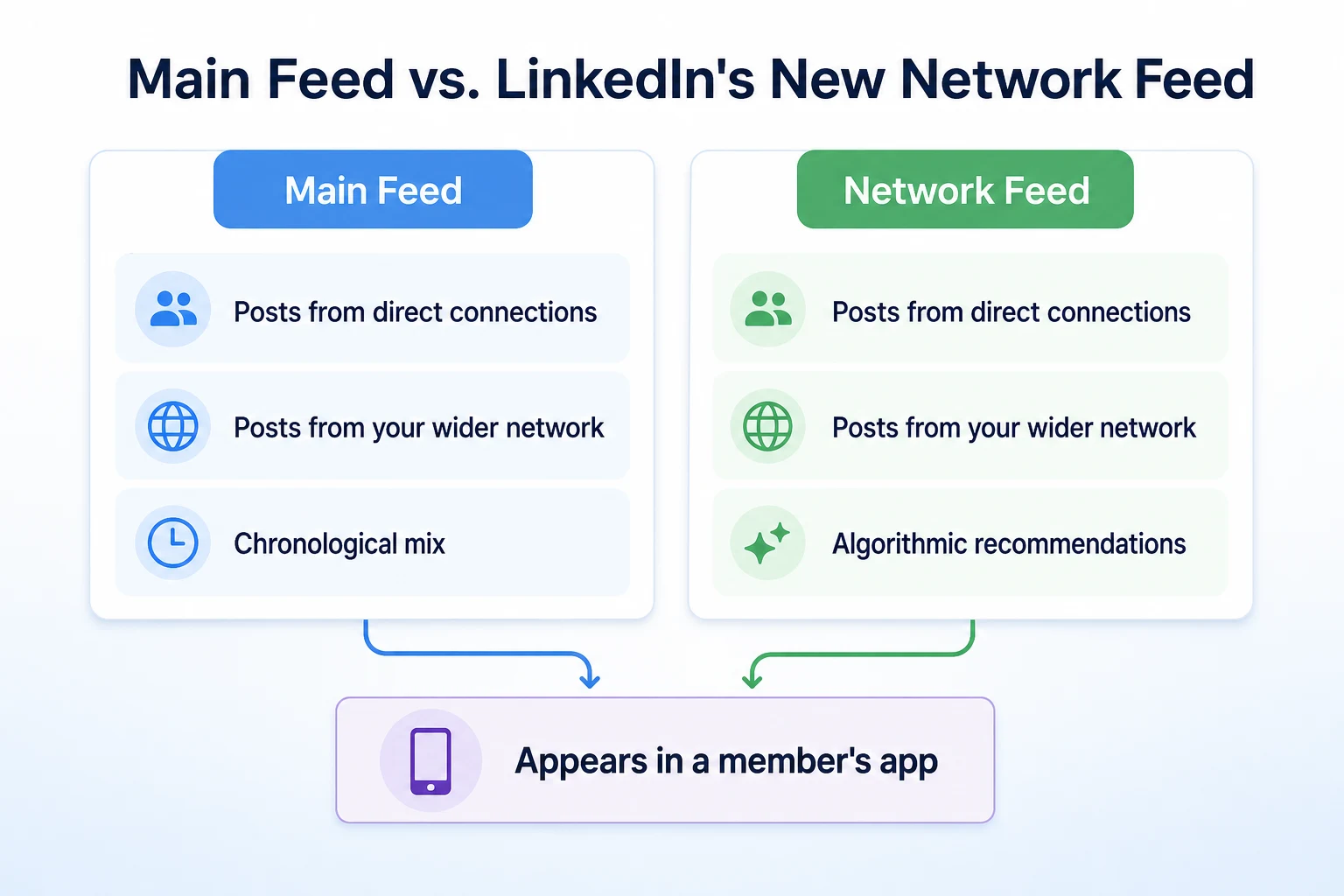
The Network feed sits alongside LinkedIn's existing main feed rather than replacing it. Understanding the difference matters, because the two feeds pull content using genuinely different logic.
How the Network feed selects posts
LinkedIn's main feed has always leaned heavily on direct connections and pages a member follows. The Network feed goes further out than that, pulling in posts from a member's wider professional network, including people connected to their connections, based on what LinkedIn's systems estimate is relevant. LinkedIn hasn't published a full breakdown of every signal involved, so it isn't possible to say exactly how heavily any one factor is weighted.
What it could mean for a creator's visibility
A second feed built around a wider network is, in principle, another place a post can be seen beyond a person's existing connections. Whether that translates into meaningfully more visibility for any specific account is something LinkedIn hasn't quantified, and it's reasonable to expect it will vary by industry, posting frequency, and how a post performs with the people who do see it first. This kind of shift toward algorithmic, personalized feeds isn't unique to LinkedIn, and our guide to AI bots on social media covers some of the wider pattern across platforms, beyond this one announcement.
Feed | What powers it | What content appears |
|---|---|---|
Main feed | Direct connections and followed pages, with some existing ranking | Posts mostly from people and pages a member already follows |
Network feed | Algorithmic recommendations drawing on a member's wider network | Posts from second-degree connections and beyond, based on estimated relevance |
Advice Sessions: LinkedIn's New Paid Consultation Feature
Advice Sessions is the most direct of the five tools when it comes to earning money. It lets an eligible member offer a paid, one-on-one consultation that another member can book through LinkedIn itself.
How an Advice Session is booked and paid for
LinkedIn described the booking flow as happening entirely inside the platform: a member sets up a session, another member books and pays for it, and the conversation takes place through LinkedIn rather than being arranged over email or a separate scheduling tool. That's a meaningful change for anyone who already does informal paid consulting through LinkedIn messages, since it moves the payment and scheduling into a system LinkedIn manages directly.
Who LinkedIn says can offer sessions
LinkedIn said Advice Sessions is available to eligible members, without publishing a single, universal qualifying bar that applies to everyone. What that means in practice is covered in the eligibility section further down, since it differs from feature to feature rather than following one shared rule across all five tools.
In-Stream Ads: A New Revenue Share for Creators
In-Stream Ads brings a familiar model, revenue sharing on video and long-form content, into LinkedIn's creator tools for the first time.
How the revenue share works
LinkedIn said creators whose video or long-form posts qualify can earn a share of the revenue from ads that run alongside that content. The basic mechanism mirrors what video platforms elsewhere have run for years: an ad plays with the content, and a portion of what that ad generates goes to the person who made the content. Our look at Meta AI ads covers a related example of a platform building ad tools directly around creator and business content, which is a useful comparison for how revenue-sharing ad models generally work.
What LinkedIn hasn't detailed yet
LinkedIn hasn't published the exact view or engagement thresholds a piece of content needs to hit before it starts carrying ads, nor has it published the percentage of ad revenue a creator actually receives. Without those numbers, it isn't possible to estimate what In-Stream Ads might realistically earn a given account, and any specific figure circulating online isn't something LinkedIn has confirmed.
Digital Business Cards: A Simpler Way to Share Contact Details
Of the five tools LinkedIn introduced on October 15, 2026, digital business cards are the simplest to explain. A member can share a card containing their name, title, company, and a link back to their LinkedIn profile with a single tap, whether that's in person at an event or sent through a message.
What a business card replaces
LinkedIn framed this as a replacement for the usual scramble at a conference or meeting: typing a name into search, swapping a printed card that gets lost in a bag, or asking someone to spell their company name twice. A digital card does the same job a paper one always did, just inside an app a lot of professionals already have open. LinkedIn didn't describe this as a monetization feature on its own. It's a networking convenience that sits next to the other four tools, useful mainly because it makes it easier for someone who's interested in a paid Advice Session or a creator's content to find their profile in the first place.
The Creator Dashboard: Where Performance Data Now Lives
The creator dashboard is where the other tools meet reporting. Instead of checking post analytics in one place and follower growth in another, LinkedIn said the new dashboard brings performance data together in a single view.
What the dashboard tracks
LinkedIn described the dashboard as covering metrics tied to the new tools alongside existing ones: how posts perform in both the main feed and the Network feed, engagement on video content that may qualify for In-Stream Ads, and activity around Advice Sessions for members who offer them. The exact list of metrics, and how far back historical data goes, is something LinkedIn hasn't fully itemized in its announcement.
How it differs from LinkedIn's existing analytics
Before this update, a LinkedIn profile or page already showed basic post and follower analytics, but that data lived separately from anything related to paid tools. The dashboard's main change is consolidation rather than entirely new measurement. It's a single screen built around a creator's whole presence, not a replacement for post-level analytics that already existed. Whether it eventually adds measurement LinkedIn hasn't offered before is something that will likely become clearer as more accounts gain access.
Eligibility and Rollout: Who Has Access Right Now
This is the part that explains the gap most people are running into right after the announcement. LinkedIn confirmed all five tools exist. It didn't say every member gets all five on the same day.
What's confirmed about eligibility
LinkedIn said eligibility varies by feature. Advice Sessions and In-Stream Ads are described as available to eligible members, without a single shared bar that applies across both. The Network feed and the creator dashboard are described in terms closer to a broader rollout, reaching more members over time rather than requiring a specific qualification to unlock. Digital business cards appear to be the most widely available of the five, framed as a general networking feature rather than one gated behind creator status.
What LinkedIn hasn't said yet
LinkedIn hasn't published a specific follower count, posting frequency, or engagement threshold that guarantees access to Advice Sessions or In-Stream Ads. It also hasn't given a firm date by which every member can expect to see the Network feed or the dashboard in their own account. That means a member checking their app today and finding only the business card feature available isn't missing a setting. It's a reasonable, unremarkable sign that the rollout is still in progress, the same way staggered rollouts have played out with other platform announcements.
Feature | Who can access it now | Rollout status |
|---|---|---|
Network feed | Expanding to more members over time | Broader rollout, not limited to a specific qualification |
Advice Sessions | Eligible members, criteria not fully published | Limited, eligibility-based access |
In-Stream Ads | Eligible members, criteria not fully published | Limited, eligibility-based access |
Digital business cards | Most members, framed as a general feature | Widely available |
Creator dashboard | Expanding to more members over time | Broader rollout, tied to the other tools reaching an account |
What This Means for Entrepreneurs and B2B Marketers
None of the five tools above were built with any single industry in mind, but the shape of them lines up closely with how consultants, agencies, and B2B marketers already use LinkedIn. That's worth sitting with before jumping to conclusions about reach or revenue.
Plausible opportunities worth watching
A consultant who already fields informal requests for a quick call could, once eligible, turn that into a paid Advice Session instead of giving the same advice away for free in a message thread. An agency that posts explainer videos for clients could see those videos qualify for In-Stream Ads once thresholds are published, turning content that was already being made into a small additional revenue line. A B2B marketer managing a company page could use the Network feed as another place for a client case study or product update to surface, beyond the people who already follow the page directly.
Digital business cards are the smallest of the five changes, but for anyone who attends conferences, trade shows, or client meetings, a faster way to get a prospect to their LinkedIn profile is a genuine, if modest, convenience.
What nobody can promise yet
LinkedIn hasn't published numbers for how much a typical Advice Session earns, how much In-Stream Ads typically pays out, or how much additional reach the Network feed adds to a given post. Any specific figure circulating outside LinkedIn's own announcement isn't something the company has confirmed. The honest position is that these tools create new mechanisms for earning and visibility. Whether any of them produce a meaningful result for a specific business depends on factors LinkedIn hasn't detailed, and nobody outside the company can responsibly promise an outcome.
Three Practical Ideas to Try This Week
None of these require access to Advice Sessions or In-Stream Ads yet. They're things worth doing regardless of which features have reached a specific account, so there's something useful to show for the week even if eligibility hasn't arrived.
Idea 1: Update your profile for the Network feed
Since the Network feed pulls from a wider pool of posts than the main feed, it's worth reviewing whether a profile's headline, about section, and recent posts clearly explain what the business actually does. A profile that reads clearly to someone outside a person's immediate connections is in a better position whenever the Network feed does surface a post to them.
Idea 2: Draft an Advice Session offer before you're eligible
Writing out what a paid session would actually cover, who it's for, and roughly how long it would run is useful preparation whether or not an account currently has access. It forces a decision about scope and price ahead of time, rather than improvising once the feature appears, and it can double as the basis for a service page or a short pitch used elsewhere.
Idea 3: Prepare a short video for In-Stream Ads
Rather than waiting to see which video happens to qualify once thresholds are published, it's worth having one or two short, genuinely useful videos ready now, the kind that answer a real question a client or prospect tends to ask. Planning that kind of content ahead of a feature's full rollout is the same habit covered in our guide to building an SEO content calendar, which applies just as well to LinkedIn video as it does to blog posts.
Idea | Action | Time needed |
|---|---|---|
Update your profile for the Network feed | Review headline, about section, and recent posts for clarity to a wider audience | 30 minutes |
Draft an Advice Session offer | Write out scope, audience, and rough pricing for a future paid session | 45 minutes |
Prepare a short video for In-Stream Ads | Record one or two short videos answering a real client question | 1 to 2 hours |
A Worked Example: Preparing for LinkedIn Monetization Before Full Access
Imagine a freelance bookkeeper who has built a modest following on LinkedIn by posting short tips about small business tax deadlines. This example is illustrative.
The day after the October 15, 2026 announcement, she checks her account and finds a digital business card already available, but no sign of Advice Sessions, In-Stream Ads, or the Network feed in her app. Rather than assuming her account is being held back, she treats this as the expected, staggered rollout LinkedIn described, and spends the week on what she can actually control.
She writes out a one-page outline for a 30-minute paid session covering year-end bookkeeping cleanup, including who it's for and what it costs, so it's ready the moment Advice Sessions appears in her account. She also records a four-minute video walking through a common deduction mistake, the kind of short, useful clip that could plausibly qualify for In-Stream Ads once thresholds are published, and posts it to her existing feed in the meantime. Neither action depends on LinkedIn's timeline. The outline sits ready, and the video is already doing useful work under the rules that apply today.
Common Mistakes to Avoid While These Features Are Rolling Out
A handful of reactions to this announcement show up often enough that they're worth naming directly, separate from the ideas above.
Mistake | What it leads to | Fix |
|---|---|---|
Assuming every account has all five tools | Time spent searching menus for Advice Sessions or In-Stream Ads that simply haven't reached that account yet | Check the app directly and treat a missing feature as a rollout stage, not a broken account |
Promising clients a paid session before it's live | An awkward conversation when a prospect tries to book something that doesn't exist in your account yet | Keep the Advice Session offer ready as a draft, and only publish it once the feature actually appears |
Assuming the Network feed guarantees more reach | Disappointment when a post doesn't suddenly reach a wider audience, since LinkedIn hasn't published ranking details | Treat the Network feed as a possible extra channel, not a promised increase in visibility |
Waiting for full access before doing anything | Weeks lost that could have gone toward content and offers ready to publish the moment a feature arrives | Prepare the groundwork now, the way the worked example above does, regardless of which tools have landed |
The pattern underneath most of these mistakes is the same one that shows up with almost every platform announcement: treating a confirmed tool as though it also confirms an outcome, or confirms it's already live for everyone. LinkedIn confirmed five tools exist. It didn't confirm when any specific account gets them, or what using them will actually earn.
Where RepGet fits
RepGet doesn't manage LinkedIn accounts, book Advice Sessions, or track In-Stream Ads revenue. Nothing about this announcement runs through RepGet, and that isn't going to change.
What RepGet does help with is the website a LinkedIn profile, business card, or Advice Session page usually points people back to. A consultant offering paid sessions through LinkedIn often still needs a service page that explains the offer in more detail, and a B2B marketer posting into the new Network feed usually wants that content to lead somewhere a search engine can also find. RepGet's content planning and article writing can help build that kind of page, and articles it writes can stay as drafts for a business to review before anything goes live.
Before adding new content aimed at LinkedIn traffic, it's worth knowing what the site already needs fixing. RepGet's free website audit crawls a site and gives it a 0 to 100 SEO score, flagging technical and content issues worth addressing regardless of which platform sends visitors there. No account or credit card required. Its free SEO tools cover things like page titles and meta descriptions, which matter just as much whether a visitor arrives from a LinkedIn business card, a search result, or an AI assistant's answer.
RepGet doesn't guarantee earnings from Advice Sessions, In-Stream Ads, or reach through the Network feed. What it can do is make sure the site behind the link is actually ready for whoever clicks through.
The bottom line
LinkedIn confirmed a real, dated set of changes on October 15, 2026: a Network feed, Advice Sessions, In-Stream Ads, digital business cards, and a creator dashboard, all aimed at helping professionals earn directly on the platform. That's genuinely new, and digital business cards already look widely available.
What hasn't been confirmed is just as important. LinkedIn hasn't published eligibility thresholds for Advice Sessions or In-Stream Ads, hasn't given a firm date for the Network feed or dashboard to reach every account, and hasn't published figures for what any of these tools typically earn. The sensible response isn't to wait for full access or to assume these tools will reshape LinkedIn marketing on their own. It's to prepare an offer, a profile, and some content now, and let the rollout catch up to the work already done.
Find out what your website needs first
Run a free website audit with RepGet to see what your own site needs before building content around LinkedIn's new creator tools. No account or credit card required.
FAQ
What is LinkedIn creator monetization?
It refers to the tools LinkedIn introduced on October 15, 2026 that let eligible members earn directly on the platform, including paid Advice Sessions and revenue-sharing In-Stream Ads, alongside a Network feed, business cards, and a creator dashboard.
How do I become eligible for LinkedIn Advice Sessions?
LinkedIn said Advice Sessions is available to eligible members but hasn't published a specific follower count, posting frequency, or engagement threshold that guarantees access.
What is LinkedIn's new Network feed?
It's a second feed that surfaces posts from a member's wider professional network, including people beyond direct connections, using algorithmic recommendations rather than the connection-based logic of the main feed.
How does revenue sharing work with LinkedIn In-Stream Ads?
LinkedIn said creators whose qualifying video or long-form content carries ads can earn a share of that ad revenue, but it hasn't published the exact percentage or the thresholds content needs to meet.
What does the LinkedIn creator dashboard show?
LinkedIn said the dashboard brings performance data together in one place, covering post engagement, Network feed performance, and activity tied to Advice Sessions and In-Stream Ads for eligible accounts.
Are LinkedIn's new digital business cards free?
LinkedIn framed digital business cards as a general networking feature rather than a paid tool, and described it as widely available rather than gated behind creator eligibility.
When did LinkedIn announce its new creator tools?
LinkedIn announced the Network feed, Advice Sessions, In-Stream Ads, digital business cards, and the creator dashboard together on October 15, 2026.
Can small business owners use LinkedIn's new monetization features?
Some features, like digital business cards, appear widely available now, while Advice Sessions and In-Stream Ads depend on eligibility criteria LinkedIn hasn't fully published, so access will vary by account.