

AI Bots on Social Media: What They Mean for Your Brand
Short answer
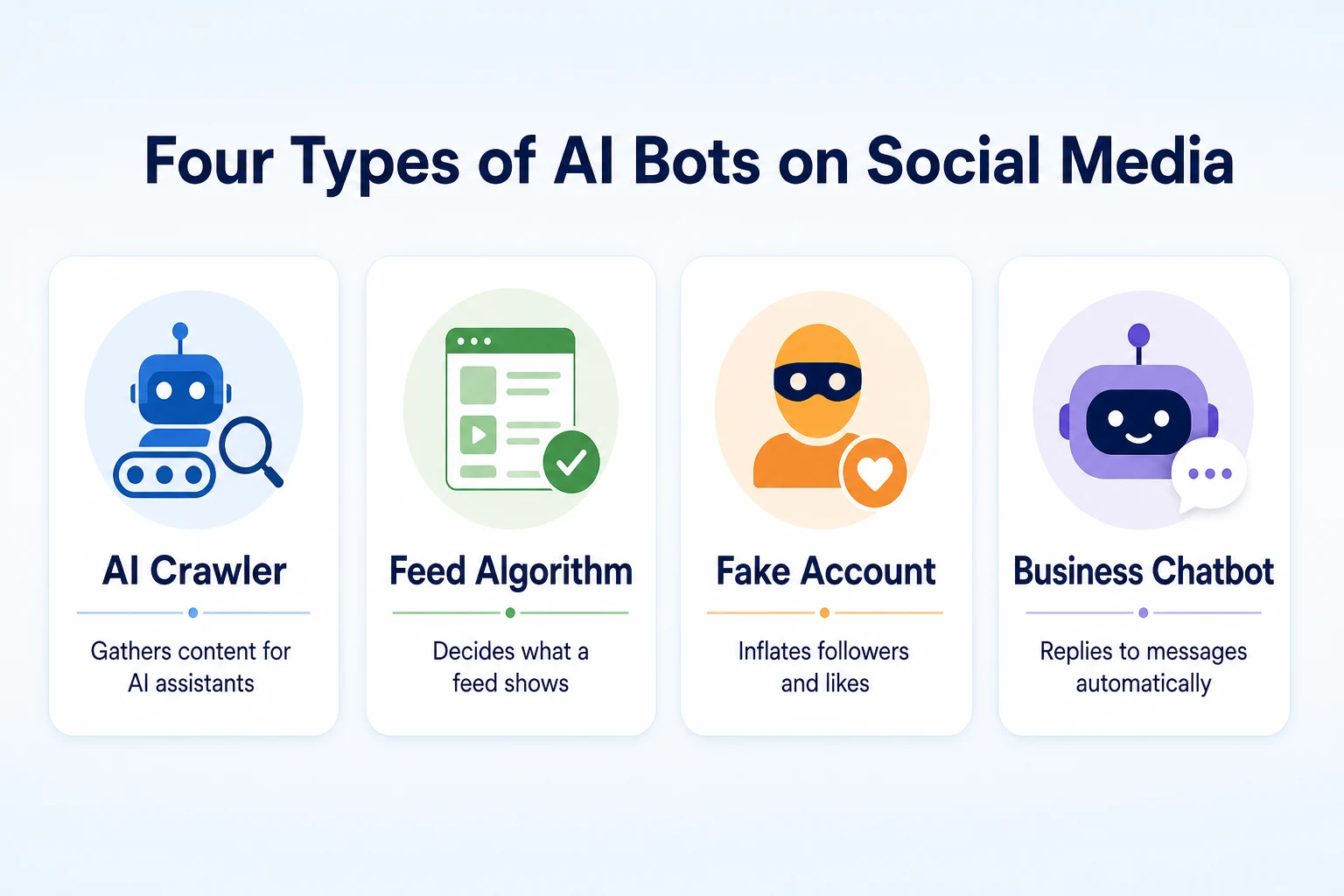
AI bots on social media aren't one thing: crawlers gather content for AI assistants, feed algorithms decide what gets shown, fake accounts inflate followers and likes, and chatbots reply automatically. Most platforms restrict crawling, so a business's own website matters more for AI assistant visibility than its social bio. Bought engagement doesn't bring customers and can hurt trust.
A small business notices its Instagram following jumped overnight.
The phone hasn't rung any more than usual.
Around the same time, someone asks an AI assistant to recommend a business like theirs. Their business never comes up, even though every profile looks active and current.
These two things are more connected than they look. Both are about AI bot activity on social media, but they're not the same kind of bot, and they don't affect a brand's visibility the same way.
Here's what the different AI bots on social media actually do, which ones matter for being found by an AI assistant, and what to check on your own profiles so they stay findable and trustworthy rather than just busy-looking.
What Counts as an 'AI Bot' on Social Media
The phrase gets used for at least four different things, and mixing them up is where most of the confusion starts.
AI crawlers that gather content for AI assistants
Some bots exist to read content and carry it elsewhere. An AI crawler requests a page or a profile, reads what's there, and may use it to help an AI assistant answer a question later.
This is the same basic idea covered in our guide to the AI web crawler, just applied to a social platform instead of a website.
Recommendation algorithms that decide what a feed shows
Other bots aren't crawling anything from the outside. They're the system each platform runs internally to decide what appears in a user's feed, which posts get more reach, and which get buried.
This kind of
This kind of system isn't reading anything from outside the platform. It's the recommendation engine built into Instagram, TikTok or Facebook, deciding how far a given post travels and who sees it in their feed. It can make or break your reach among people already using that platform, but it has nothing to do with whether an outside system, like an AI assistant, can read your profile at all.
Automated fake accounts and bot engagement
A third kind of bot isn't reading or ranking anything. It's pretending to be a real account, usually to inflate a follower count, like a post, or leave a generic comment, often for a fee paid by someone trying to look more popular than they are.
These accounts don't represent real people and don't bring real customers. They're a separate problem from the crawlers and algorithms above, and it's covered later in this article.
Chatbots a business sets up to reply automatically
The fourth kind is one a business controls on purpose. Many platforms let you set up an automated reply for direct messages, answering common questions about hours, location or pricing before a person gets involved.
Used well, this is a convenience for customers. Used carelessly, it can give out information that doesn't match your actual website, which creates its own kind of trust problem, also covered further down.
Type of bot | Who runs it | What it actually affects |
|---|---|---|
AI crawler | An AI company, like OpenAI or Anthropic | Whether your content can be read and possibly referenced by an AI assistant |
Feed algorithm | The social platform itself | How far a post travels among people already on that platform |
Fake account or bot engagement | A third party, often paid, pretending to be a real user | Follower counts and engagement numbers, not real customers or trust |
Business chatbot | The business itself | How quickly and consistently customer questions get answered |
How AI Crawlers Actually Reach a Social Media Profile
Once the four types are separated out, the one most people actually mean when they ask about AI visibility is the first: the crawler that might feed a social profile into an AI assistant's answer.
The same request-and-read process as any webpage
A social media profile is still a web page at its core, with a URL, HTML, and text a crawler can request the same way it requests any other page. Our guide to the AI web crawler covers the mechanics in more depth: a crawler checks the rules, requests the page, and reads whatever HTML comes back.
In principle, nothing about that process changes just because the page happens to be a bio on Instagram instead of a page on your own website.
Why many platforms restrict or limit crawling
In practice, most social platforms control automated access far more tightly than an ordinary website does. Some block many crawlers outright, some allow only specific ones, and some require an account or a login before any content loads at all, which keeps a crawler out the same way it keeps out a visitor who hasn't signed in.
Google's own documentation on how robots.txt works explains that a site's rules apply per crawler, and platforms set their own rules the same way any website owner can. A business doesn't control those rules on someone else's platform the way it controls them on its own site.
What this means for a profile compared to your own website
The practical result is that a social bio is often a less reliable source for an AI assistant to draw from than a business's own website, simply because access to it is less predictable and less within the business's control.
That doesn't make a social presence worthless. It means the profile is one piece of a picture, not the piece most likely to get read directly by an outside system.
Why This Matters for Getting Recommended by AI Assistants
The gap between what a crawler can reach and what a business assumes it can reach is exactly where expectations and reality tend to part ways.
What an assistant can realistically draw from
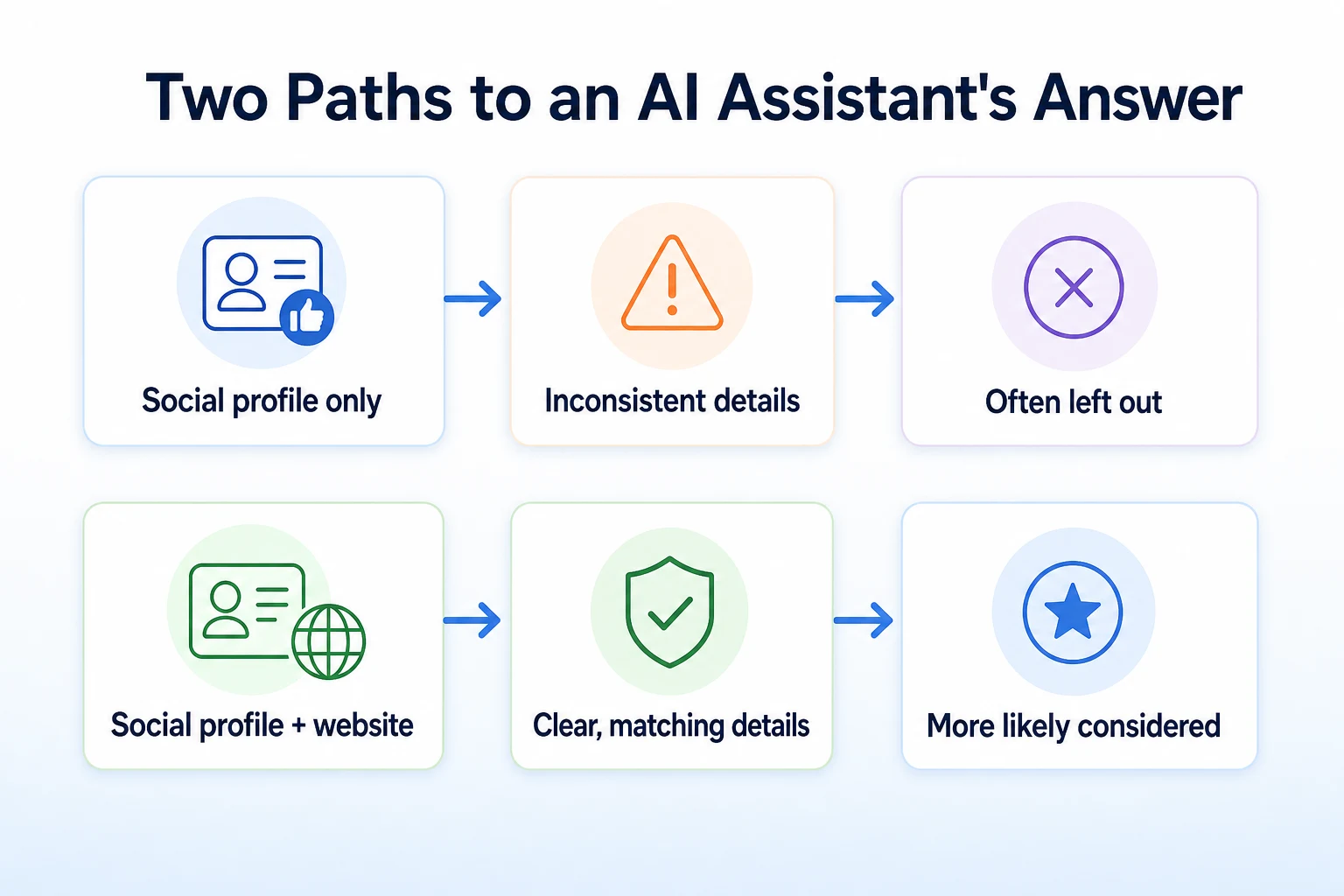
An AI assistant answering a question about a local business typically draws on whatever it can access and has reason to trust: a website, directory listings, reviews, and other public information, in some combination that varies by assistant and by question.
A social media bio might be part of that picture if it's reachable at all. It's rarely the main source, and it's not something a business can guarantee gets read, the same way nobody can guarantee a mention in any specific AI answer. Our guide to how AI assistants decide which businesses to recommend goes further into what shapes that decision.
Why your website still carries more of the weight
A website a business fully controls is usually easier for a crawler to reach, easier to keep consistent, and easier to update when something changes, like hours or a new service.
That's the reason a social presence works best as a supplement to a strong website, not a replacement for one. Our guide to getting mentioned in ChatGPT covers what tends to matter most when a business wants to show up in an AI assistant's answer.
Feed Algorithms Are a Different Kind of 'AI' Than a Crawler
It's worth separating this out clearly, because the two get confused constantly, and the fix for one does nothing for the other.
What a feed algorithm optimizes for
A platform's feed algorithm is built to keep people on that platform, engaged with content they're likely to respond to. It looks at signals like watch time, comments, shares and saves, and uses them to decide what to show next, to whom, and how often.
None of that involves reading your website or deciding whether an AI assistant should mention your business. It's entirely about what happens inside that one platform.
Why this is separate from search and AI-assistant visibility
A post that performs well in a feed algorithm reaches more people on that platform. It doesn't make your website more crawlable, and it doesn't make an AI assistant more likely to cite you.
Conflating the two leads to wasted effort: a business that spends all its energy chasing better feed performance while its website sits unread by the crawlers that actually feed AI assistants.
What's being compared | Feed algorithm | AI crawler |
|---|---|---|
What it affects | Reach within one social platform | Whether content can be read and used by an AI assistant |
Who sees the effect | People already using that platform | A system acting on behalf of an outside AI company |
What a business can control | Posting consistency and content that gets engagement | Whether its own website is crawlable and clearly written |
The Bot Engagement Problem: Fake Followers and Fake Likes
Of the four types covered earlier, this is the one that does the most quiet damage, because it looks like success while producing none of the benefit.
Why bot followers don't bring in customers
A fake account can't walk into a store, book an appointment or call a business. It exists to inflate a number, and the number doesn't translate into revenue no matter how large it gets.
Some businesses buy followers hoping the appearance of popularity will attract real ones. It's a reasonable instinct, but it doesn't change what an AI assistant or a search engine can verify about a business, and it doesn't change whether real customers actually show up.
How fake engagement can undermine trust
A profile with tens of thousands of followers and almost no real comments or shares looks odd to anyone who checks closely, including a potential customer deciding whether to trust the business.
That mismatch between follower count and real activity is also the kind of thing that can make a profile look less credible as a source, if anything downstream ever weighs it alongside other public information about a business. Keeping engagement real, even if it's smaller, holds up better than a large number that doesn't match anything else about the account.
Keeping Your Own Automated Replies Trustworthy
The fourth type of bot from earlier, the one a business sets up on purpose, is the easiest to get right, because it's entirely within your control.
What's safe to automate
Hours, location, basic pricing ranges and a simple greeting are all reasonable things to hand to an automated reply. These are facts that don't change often and don't require judgment to answer correctly.
Anything that depends on the specific situation, a complaint, a custom quote, a scheduling conflict, is better handled by a person. An automated reply that tries to handle these usually ends up giving a vague or wrong answer, which does more harm than a short delay while someone gets back to the customer directly.
Keeping automated answers consistent with your website
An automated reply that states different hours than your website, or a different address than your Google Business Profile, creates exactly the kind of inconsistency that erodes trust, both for a customer trying to visit and for any system trying to verify basic facts about the business.
Whenever you update a detail on your website, check that the same detail in your automated replies gets updated too. It's a small habit, but it's one of the more common places a business drifts out of sync with itself.
What Keeps a Social Profile Findable and Trustworthy
Setting aside what a crawler can or can't reach, there's still a clear, practical list of things that make a profile more useful to people and less likely to cause confusion anywhere else.
Keep business details consistent everywhere
Your business name, address, phone number and hours should read the same way on every platform: your website, your Google Business Profile, Instagram, Facebook, anywhere a customer might look. Our guide to local SEO for small businesses covers why this consistency matters beyond social media too.
A small difference, a suite number dropped from one listing, a phone number with an old area code still live on another, is the kind of thing that looks minor until it's the detail a customer or a system happens to check.
Write key facts as text, not only in images
A graphic announcing a holiday schedule or a price list looks clean on a feed, but the words inside an image aren't readable text to most automated systems, including the crawlers discussed earlier in this article.
If a fact matters enough to post, it's worth also including it as plain text in the caption or the bio, not only inside the image itself.
Link back to your website from every profile
Every platform that allows a bio link should have one, pointing to your actual website rather than a generic landing page that says little. This gives a person, and potentially a crawler following that link, a direct path to the fuller, more reliable version of your business information.
Field to check | Where to check it | What a consistent answer looks like |
|---|---|---|
Business name | Website, Google Business Profile, every social bio | Exactly the same spelling and format everywhere |
Address | Website footer, Google Business Profile, social bios | Same suite number, same formatting, no outdated locations left live |
Phone number | Website, Google Business Profile, social bios | One current number, not an old one still listed somewhere |
Hours | Website, Google Business Profile, social bios, automated replies | Updated together whenever hours change, not left to drift apart |
Bio link | Every platform that allows one | Points to the real website, not a dead or unrelated page |
A Worked Example: Tracing a Bakery's Social Profile Through an AI Assistant
Imagine a neighborhood bakery with an active Instagram account and a Facebook page. This example is illustrative.
The Instagram bio lists the bakery's hours as 7am to 3pm, posted a year ago. The actual hours changed to 7am to 2pm six months back, but nobody updated the bio. The bakery's website, on the other hand, was updated the same week the hours changed.
Someone asks an AI assistant for a bakery open in the early afternoon nearby. Whatever the assistant draws on to answer, if it reaches the bakery's website, it sees the current 2pm closing time. If it somehow drew only from the outdated Instagram bio, it would be working from a fact that's been wrong for months.
The bakery didn't do anything dramatic to cause this. It simply updated one place and not another, which is an easy thing to do when a business is juggling several platforms at once.
The fix isn't complicated either. It's checking that every place the hours appear, website, Google Business Profile, Instagram bio, Facebook page, says the same thing, and updating all of them in the same sitting whenever anything changes.
Common Mistakes That Hurt Bot Visibility and Trust
Most of the problems covered in this article trace back to a short list of recurring habits, not a single big misstep.
Buying followers or engagement is one of the most common, and one of the least effective, since it inflates a number without bringing in anyone who can actually become a customer.
Letting a bio go stale after a real change, new hours, a new address, a discontinued service, is another. It's rarely intentional. It just doesn't get the same attention as the website once the initial update is made.
Treating social media as a replacement for a website, rather than a supplement to one, leaves a business relying on the platform least likely to be read by outside systems and least within its own control.
Letting an automated reply answer questions it isn't equipped for, rather than limiting it to simple, stable facts, can leave customers with wrong information and no quick way to correct it.
Mistake | Why it hurts | What to do instead |
|---|---|---|
Buying followers or engagement | Inflates a number without bringing real customers, and can look suspicious on closer inspection | Focus on real engagement, even if the numbers are smaller |
Letting a bio go stale after a real change | Creates inconsistent facts across platforms, which undermines trust | Update every platform in the same sitting whenever a detail changes |
Treating social media as a replacement for a website | Relies on the platform least likely to be reliably read by outside systems | Keep a website as the primary, fully controlled source of business facts |
Over-automating customer replies | Gives wrong or vague answers to questions that need judgment | Automate only stable facts; route everything else to a person |
A 30-Day Plan to Clean Up and Strengthen Your Social Presence
None of this requires a redesign or a new strategy. It's mostly a matter of checking what's already out there and fixing what's drifted.
Week 1: audit every profile
List every platform your business has a presence on, including ones nobody's posted to in a while. For each one, write down the business name, address, phone number, hours and bio link exactly as they currently appear.
This is also the week to look honestly at follower and engagement numbers. If a profile has far more followers than comments or shares would suggest, that's worth noting now rather than ignoring.
Week 2: fix inconsistencies
Compare what you wrote down against your website and your Google Business Profile. Fix every mismatch you find, starting with hours, address and phone number, since those are the details a customer is most likely to act on directly.
If any profile still has an old automated reply with outdated information, update it in the same pass. Remove any bought followers or engagement services you're still paying for.
Weeks 3 and 4: strengthen the website behind it
With the profiles consistent, turn attention to the website they all point back to. Confirm every social bio links to it, and confirm the website itself states the same key facts in plain text, not only in an image or a graphic.
This is also a good time to check whether the website is readable to the crawlers that might feed an AI assistant's answer, since that's the part of your presence most likely to carry real weight.
Week | Focus | What to do |
|---|---|---|
Week 1 | Audit | List every platform and record its current business details and engagement numbers |
Week 2 | Fix inconsistencies | Correct mismatched details and remove any bought followers or engagement |
Week 3 | Check the website | Confirm every profile links to it and that key facts appear as plain text |
Week 4 | Check crawlability | Confirm the website itself is reachable and readable by search and AI crawlers |
By the end of the month, every platform says the same thing, the bought engagement is gone, and the website behind all of it is in better shape to carry the weight the social profiles can't.
Where RepGet fits
RepGet doesn't manage social media accounts, set up chatbots, or touch anything on Instagram, Facebook or any other platform. That part of the work in this article stays with the business.
What RepGet helps with is the website behind the social presence, which is the part most likely to actually get read by an AI assistant. Its free website audit crawls a site, gives it a 0 to 100 SEO score, and lists technical and content issues worth investigating, which can catch a thin page or a crawling problem before it quietly undermines everything the social accounts are pointing people toward. No account or credit card required.
Its free SEO tools cover related checks too, from confirming an AI crawler can reach the site to checking what's actually in a page's HTML. None of this touches follower counts or engagement, and none of it can promise that an AI assistant will mention a business in any specific answer. What it can do is make sure the website side of the presence is readable and consistent, which is the part a business actually controls.
The bottom line
An AI bot on social media isn't one thing. A crawler reading content for an AI assistant, a feed algorithm deciding what gets shown, a fake account inflating a number, and a chatbot answering messages are four separate systems with four separate effects.
Bought followers and fake engagement don't bring customers, and they can make a profile look less credible on closer inspection. A feed algorithm affects reach on one platform and nothing beyond it. An automated reply is only as trustworthy as the facts it repeats.
The crawler piece, the one most people are actually asking about when they wonder whether AI bots affect their visibility, usually comes back to the same conclusion: a business's own website is more reliably crawlable and more fully within its control than any social bio, which is why it still carries more of the weight.
Find out what your website needs first
Before spending more time on any single platform, see what your website currently offers and where it might be falling short. Run a free website audit with RepGet to check your site's technical setup alongside its content. No account or credit card required.
FAQ
What is an AI bot on social media?
It's a broad term covering several different things: crawlers that read content for AI assistants, feed algorithms deciding what a platform shows, fake accounts inflating followers, and chatbots a business sets up to reply automatically.
Are the bots on Instagram and Facebook the same as AI crawlers?
No. A platform's feed algorithm decides what shows up for users already on that platform. An AI crawler is a separate system, run by an outside company, that reads content to help an AI assistant answer questions.
Can ChatGPT read my business's Instagram page?
It depends on whether the platform allows automated access to that page at all, which varies by platform and often requires a login. A crawlable, up to date website is a more reliable source for an assistant to draw from.
Do fake followers hurt my SEO or AI visibility?
Fake followers don't directly change search rankings, but they don't bring real customers either, and a mismatch between follower count and real engagement can make a profile look less credible on closer inspection.
Should I block AI bots from my social media accounts?
Most platforms already restrict automated access on their own, so there's usually little a business needs to do here. The bigger question is whether your own website, which you do control, is readable and consistent.
What's the difference between a chatbot and an AI crawler?
A chatbot is something a business sets up to answer customer messages automatically. An AI crawler is run by an outside company to read web content, with no connection to how a business replies to its own messages.
Do social media algorithms affect my Google rankings?
A platform's feed algorithm decides how far a post travels within that platform. It doesn't change how Google or AI assistants evaluate your website, which depends on separate factors like crawlability and content.