

ChatGPT Images 2.6: Faster AI Images and GIF Creation
Short answer
OpenAI launched ChatGPT Images 2.6 on November 4, 2026, adding GIF creation, faster image generation, saved reference images and improved editing inside ChatGPT. Some features are rolling out gradually rather than appearing for every account at once. For a small business, it mainly speeds up turning one photo into several pieces of social content, though OpenAI hasn't published performance figures.
A shop owner opens ChatGPT to make a quick product image for Instagram.
The image comes back faster than she remembers, and there's a small GIF button sitting next to the usual download option.
She didn't change any settings. Something on OpenAI's end clearly did.
That something is ChatGPT Images 2.6, an update OpenAI announced on November 4, 2026. Here's what actually changed, what's still rolling out, and what a small business can realistically do with it this week.
What OpenAI Announced With ChatGPT Images 2.6
On November 4, 2026, OpenAI announced an update to ChatGPT's image tools under the name Images 2.6. OpenAI described four changes as part of the release: faster image generation, the ability to create short GIFs, saved reference images that can be reused across prompts, and improved editing for images that already exist.
None of these are entirely new categories of feature. ChatGPT could already generate and edit images before this update. What Images 2.6 changes is the speed of generation, the addition of a GIF output format, and two workflow improvements, reference images and more targeted editing, aimed at people who use the same product, logo or subject across multiple images.
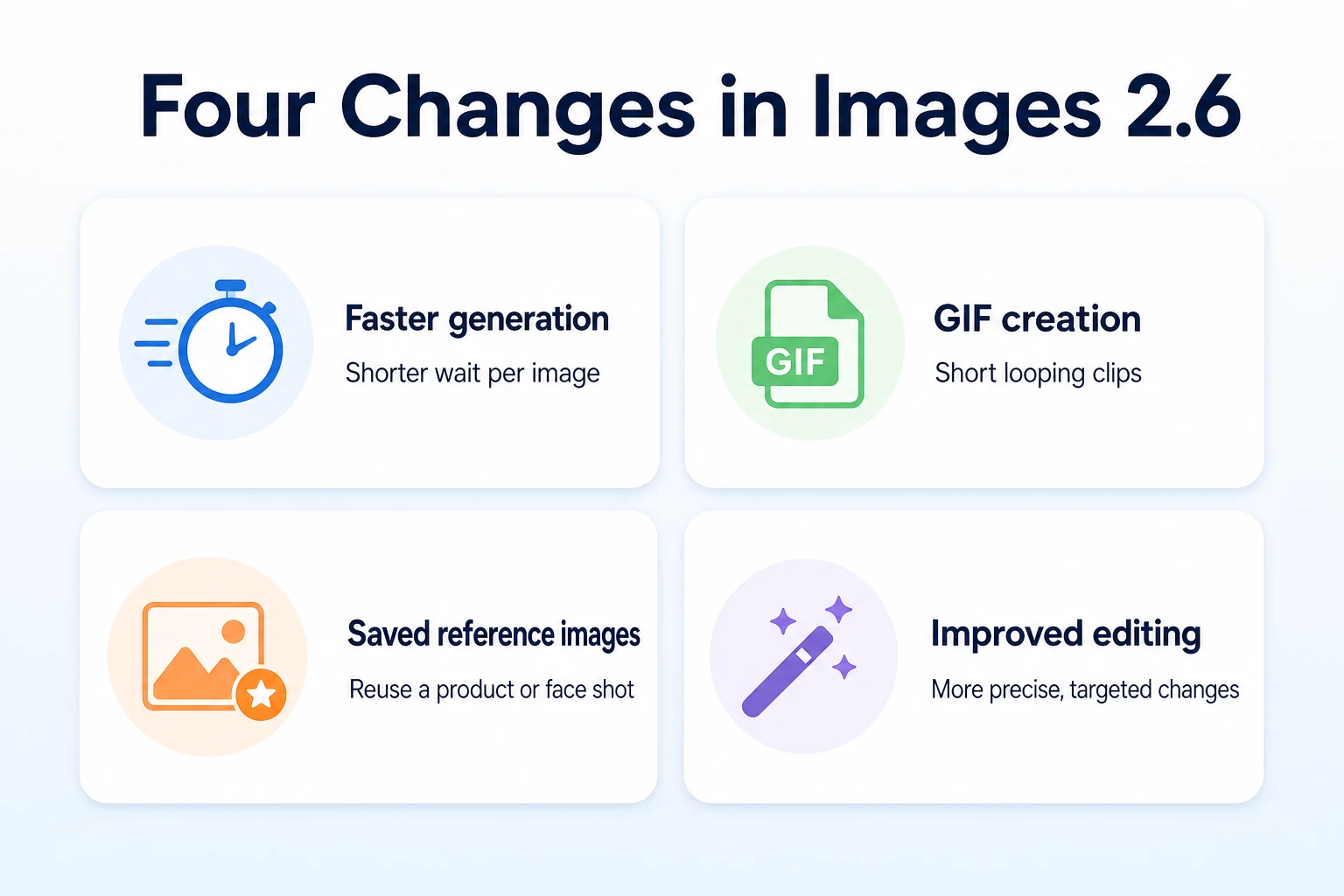
The four main changes
OpenAI's own description of the update groups the changes into the four areas above. Generation speed affects how long a person waits after submitting a prompt. GIF creation adds a short, looping output option that didn't exist before. Saved reference images let a user keep a specific photo or style on file so it can be reused without re-uploading it every time. Improved editing changes how precisely a user can alter part of an existing image without the rest of it shifting along with it.
How OpenAI describes the rollout
OpenAI described Images 2.6 as rolling out rather than switching on for every account at the same moment. That's a meaningful distinction. It means two people using ChatGPT on the same day could see different parts of the update, depending on their account type, their region, or simply where they sit in the rollout schedule OpenAI is managing. Nobody outside OpenAI can say exactly when a specific account will see every feature, and OpenAI hasn't published a fixed date by which the rollout completes.
Faster Image Generation: What Changed
Speed is the simplest part of this update to describe, and also the hardest to pin to an exact number without OpenAI publishing one.
What OpenAI said about speed
OpenAI said image generation is faster under Images 2.6 compared with the version it replaces. OpenAI hasn't published a specific percentage or a benchmark figure showing how much faster generation is across different types of prompts or account tiers. That means any specific speed claim beyond
That means any specific speed claim beyond what OpenAI has stated should be treated as a general direction, not a number you can plan a workflow around. In practice, a shop owner generating a handful of product images in one sitting is the kind of user most likely to notice the difference, since a shorter wait per image adds up across several attempts.
GIF Creation Inside ChatGPT
Of the four changes in Images 2.6, GIF creation is the one that didn't exist in any form before this update. ChatGPT could generate and edit still images, but it had no way to produce a looping animated file.
How GIF creation works
OpenAI described GIF creation as a prompt-based option sitting alongside the existing image tools, rather than a separate app or mode. A user asks for a short animation the same way they'd ask for a still image, describing what should move and how, and ChatGPT returns a looping clip in GIF format rather than a single picture. OpenAI hasn't published a maximum length or frame rate for these clips, so the practical limits of what the feature can produce aren't fully documented yet.
What GIF creation doesn't do
It's worth being clear about what this isn't. It isn't a video editor, and OpenAI hasn't described it as one. There's no timeline, no audio track, and no indication that longer-form video output is part of this release. A GIF made this way is a short, looping visual, suited to something like a product spinning or a small animated detail, not a substitute for a produced marketing video. Anyone expecting full video editing from this update is reading more into the announcement than OpenAI has actually said.
Saved Reference Images: How They Work
The second new piece is less flashy than GIF creation but arguably more useful for a business that posts regularly, since it addresses a problem a lot of ChatGPT users already run into.
Why reference images matter for consistency
Before this update, getting ChatGPT to produce the same product, logo or face across multiple separate conversations usually meant re-uploading a photo each time and hoping the new generation matched the last one closely enough. OpenAI described saved reference images as a way around that: a user can save a specific photo once and refer back to it in later prompts, rather than starting from scratch with every new image. That matters for a business posting several times a week, where the same product needs to look like the same product from one post to the next.
What's saved and how to manage it
OpenAI described this as something a user manages themselves, saving a reference image deliberately rather than it happening automatically in the background. OpenAI hasn't published full detail on how many reference images an account can keep at once, how long they're retained, or whether there are account-tier differences in how the feature works. Anyone planning to rely on this for ongoing marketing work should expect to check their own account's settings directly, since the specifics aren't fully spelled out in the announcement itself.
Improved AI Editing Tools
The fourth change touches a part of ChatGPT's image tools that already existed: editing a picture that's already been generated or uploaded.
More precise, targeted edits
OpenAI described the editing improvements as allowing more localized changes, meaning a user can alter one part of an image, like a background color or a single object, without the rest of the picture shifting unexpectedly as a side effect. That's a common frustration with earlier AI image editing generally: asking for one small change and getting an image that's different in ways nobody asked for. OpenAI framed Images 2.6 as reducing that problem, though it hasn't published figures on how often edits now stay contained to the intended area versus before.
Iterating without starting over
The other half of the editing change is about iteration. OpenAI described the update as making it easier to make a series of small adjustments to the same image, one after another, rather than needing to regenerate the whole thing from the original prompt each time something needs tweaking. For a business testing a few variations of the same marketing image, that's the difference between nudging one existing picture toward what it needs and generating a fresh batch every time something's slightly off.
What's Live Now vs Still Rolling Out
OpenAI's own framing of this as a rollout, rather than a single switch-on moment, means it's worth separating what's confirmed as available from what's still reaching accounts gradually. The table below reflects what OpenAI said about the release, not a guarantee of what any specific account will see today.
Feature | Status OpenAI described | What a user might see |
|---|---|---|
Faster image generation | Part of the Images 2.6 release | A shorter wait after submitting a prompt, though OpenAI hasn't published exact timing |
GIF creation | New feature introduced with Images 2.6, rolling out | A GIF option may not appear in every account at the same time |
Saved reference images | New feature introduced with Images 2.6, rolling out | The option to save and reuse a reference photo may arrive at different times by account |
Improved editing | Part of the Images 2.6 release | More localized edits and easier iteration on an existing image |
Since OpenAI hasn't published a date by which every account reaches full access, the practical move is to check your own ChatGPT interface directly rather than assume a feature is missing because of something you did wrong. It may simply not have reached your account yet.
Three Practical Uses for Social Media and Business Marketing
Setting aside the technical detail, the practical question for a small business is simpler: does any of this actually change what you post this week? Based on what OpenAI described, three uses stand out as realistic rather than aspirational.
Turning a product photo into a short social GIF
A still product photo works fine as a feed post, but a short, looping clip tends to stand out differently in a story or a short-form feed. With GIF creation built into ChatGPT, a business can take an existing product photo, describe a small bit of movement, like a label catching light or an item slowly rotating, and get a looping clip back without opening a separate animation tool. It's not a replacement for a filmed video, but it's a quick way to add a bit of motion to something that would otherwise sit as a flat image.
Keeping a consistent product look across posts
A business that posts the same handful of products repeatedly often struggles to keep them looking consistent across different images, especially once backgrounds, lighting or angles start to drift from one generation to the next. Saved reference images address that directly: a business can save one clear shot of a product and refer back to it whenever a new post needs that same item, rather than re-uploading the photo each time and hoping the result matches. Over a month of posting, that consistency is easier to notice than any single image on its own.
Quick seasonal or promotional edits
A lot of small business marketing is really the same image with small variations: a holiday version, a sale banner, a different background for a different platform. The improved editing in Images 2.6 is aimed at exactly that kind of change, altering one part of an image, like adding a seasonal element or swapping a background color, without regenerating the whole picture and risking it coming out differently. That's a narrower, more practical use than it sounds, and it fits naturally alongside work on Meta AI ads or TikTok AI advertising tools, where a business often needs several sized or seasonal variants of the same core image rather than entirely new ones.
Use case | What it speeds up | Example |
|---|---|---|
Short social GIF | Adding motion to an existing product photo without a separate animation tool | A rotating view of a product for a story post |
Consistent product shots | Keeping the same item looking the same across multiple posts | A saved reference photo of a bestselling item reused across a week of posts |
Seasonal or promotional edits | Updating one existing image rather than generating a new one from scratch | Adding a holiday background to an otherwise unchanged product shot |
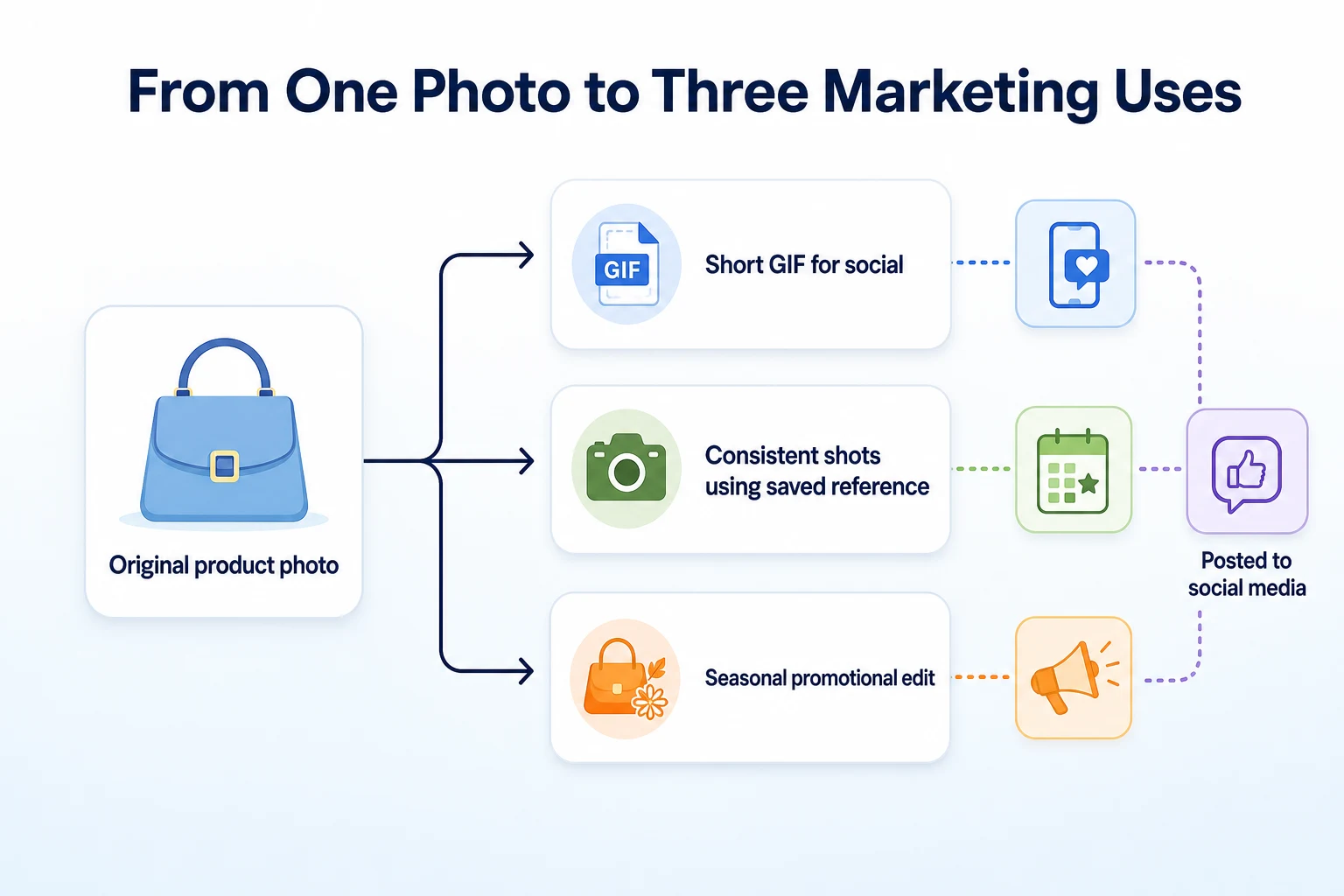
A Worked Example: One Product Photo, A Week of Content
This example is illustrative, not a record of a real business's results.
Imagine a small candle shop with one good photo of its best-selling scent, taken on a plain white background. On Monday, the owner saves that photo as a reference image in ChatGPT. On Tuesday, she asks for a short GIF showing the candle's flame flickering, and posts it to Instagram as a story. On Wednesday, she uses the reference image to generate two new shots of the same candle on different colored backgrounds, keeping the candle itself looking consistent across both. By Friday, a seasonal promotion comes up, so she asks ChatGPT to edit one of those shots to add a small autumn-themed border around the label, without changing the candle or the background behind it.
None of these steps took long on their own, and none of them replaced an actual photo shoot. What changed is that one starting photo stretched across four different pieces of content over the course of a week, each one a small variation rather than a fresh generation built from nothing.
A Checklist for Trying Images 2.6 This Week
A week is enough time to see whether these features fit into a real posting routine, without committing to rebuilding a whole content plan around them.
Day | Task | What to check |
|---|---|---|
Day 1 | Open ChatGPT and check whether the GIF option and reference image saving appear in your account | Whether your account has received the rollout yet, since not every account sees it at once |
Day 2 | Save one clear product or logo photo as a reference image | Whether the saved image reflects the product accurately when reused in a new prompt |
Day 3 | Generate a short GIF from an existing product photo | Whether the motion looks natural enough to post without further editing |
Day 4 | Make a small, targeted edit to an existing image, like a background or seasonal detail | Whether the rest of the image stayed unchanged outside the edited area |
Day 5 | Compare the time spent this week against a normal week of creating marketing images | Whether the new features actually saved time, or just added a new step to learn |
If any of this is worth repeating, it's a candidate for folding into a regular routine, something our guide to building an SEO content calendar covers for planning content more broadly, not just the images inside it.
Common Mistakes to Avoid With AI-Generated Marketing Images
A new feature tends to invite the same handful of habits that cause more work later rather than less. They're easy to slip into, especially while a feature still feels new.
Mistake | Why it backfires | Better move |
|---|---|---|
Posting a generated image or GIF without checking it closely | A small visual error, like a distorted logo or an odd detail, can go out under the business's name unnoticed | Look over every image at full size before it goes live, not just the preview |
Relying only on generated images instead of real product photos | Customers may expect the product to look exactly like what they see online | Use generated or edited images alongside real photos, not as a full replacement for them |
Assuming every feature is available because one account has it | The rollout isn't simultaneous, so a feature missing from your account isn't necessarily a mistake on your end | Check your own ChatGPT interface directly rather than assuming based on someone else's account |
Ignoring a platform's own rules on AI-generated content | Some social platforms have separate disclosure or labeling expectations for AI-made visuals | Check the posting platform's current guidelines before relying heavily on generated images |
The pattern underneath most of these mistakes is familiar from any new AI tool: treating speed as a reason to skip checking, rather than a reason to check more quickly and just as carefully.
What OpenAI Hasn't Said Yet
A new release always leaves gaps, and it's worth naming them plainly rather than guessing at answers OpenAI hasn't given.
Unanswered questions about limits and rollout timing
OpenAI hasn't published a date by which every ChatGPT account reaches full access to Images 2.6. It also hasn't said whether free accounts, paid accounts and business or team accounts see the same features at the same pace, or whether some tiers get GIF creation and reference images before others. There's no published limit on how many reference images an account can save, how many GIFs can be generated in a given period, or whether heavy use of these features draws on the same usage allowances as regular image generation. Until OpenAI says more, a business planning to rely on these tools regularly should expect some uncertainty about how much it can do in a given week.
Unanswered questions about usage rights
OpenAI hasn't published separate usage terms specific to GIFs or edited images created under Images 2.6, beyond whatever general terms already apply to content made with ChatGPT. It also hasn't addressed whether saved reference images are treated differently from other uploaded content for retention or training purposes. A business using a customer's photo, a staff member's face, or a licensed product image as a reference should check OpenAI's current usage policies directly rather than assume the rules are unchanged just because the feature is new. The same caution applies to any social platform's own disclosure rules around AI-generated visuals, since OpenAI's announcement doesn't cover what a platform like Instagram or TikTok separately requires.
Where RepGet fits
RepGet has no role in ChatGPT's image tools. It doesn't generate GIFs, it doesn't manage reference images, and nothing about Images 2.6 runs through RepGet or any similar platform.
What RepGet does is help with the website that marketing images, GIFs included, eventually point back to. A product GIF posted to Instagram is only as useful as the page a customer lands on after clicking through from the bio link, and plenty of small business sites have gaps there that quietly undercut the work put into the post itself. RepGet's website auditing, keyword research, content planning and article writing work on that side: the pages, blog posts and technical setup search engines and visitors actually judge a business by.
If a business wants to know whether its site is ready to receive that kind of traffic before investing time in new content formats, RepGet's free website audit crawls the site and gives it a 0 to 100 SEO score, flagging technical and content issues worth fixing. No account or credit card required. RepGet's free SEO tools cover related checks, like whether a page's title and meta description give someone a reason to click through once they've seen a post made with tools like Images 2.6.
RepGet doesn't produce marketing images or GIFs, and it doesn't claim any connection between using ChatGPT's image tools and a business's search rankings beyond what's documented here. What it can do is make sure the site behind those posts is in reasonable shape before more visitors arrive.
The bottom line
Images 2.6 is a real, dated update from OpenAI, announced November 4, 2026, with four confirmed changes: faster generation, GIF creation, saved reference images, and more precise editing. Some of that is live now, some is still rolling out, and OpenAI hasn't published exact figures on speed, limits or a full rollout timeline.
For a small business, the practical value sits in three places: a quick way to add motion to a product photo, a way to keep the same product looking consistent across a week of posts, and a faster way to produce small seasonal or promotional variations of an image that already exists. None of that replaces a real photo shoot or a filmed video, and none of it is a reason to skip checking an image before it goes out under the business's name. Testing it over a week, the way the checklist above lays out, is enough to know whether it earns a place in a regular routine.
Find out what your website needs first
Run a free website audit with RepGet to see what your own site needs before sending more visitors there from new AI-generated marketing images. No account or credit card required.
FAQ
What is ChatGPT Images 2.6?
It's an update to ChatGPT's image tools that OpenAI announced on November 4, 2026, adding faster generation, GIF creation, saved reference images and more precise editing of existing images.
Can ChatGPT create GIFs now?
Yes, OpenAI added GIF creation as part of Images 2.6, letting a user prompt for a short looping clip the same way they'd ask for a still image, though it's rolling out rather than available to everyone at once.
Is ChatGPT Images 2.6 available to every account yet?
Not necessarily. OpenAI described the update as rolling out gradually, so two accounts could see different features on the same day depending on account type and timing.
How much faster is image generation with Images 2.6?
OpenAI said generation is faster but hasn't published a specific percentage or benchmark figure, so any exact speed claim beyond that general statement isn't something OpenAI has confirmed.
What are saved reference images in ChatGPT?
They're photos a user saves once and reuses across later prompts, so the same product, logo or subject can look consistent in new images without re-uploading it every time.
Can I use ChatGPT-generated images for business marketing?
Many businesses already do, but it's worth checking OpenAI's current usage terms and any disclosure rules a social platform has for AI-generated visuals before relying on them heavily.
Does ChatGPT Images 2.6 cost extra to use?
OpenAI hasn't published separate pricing specific to Images 2.6, including whether GIF creation or reference images draw on the same usage allowances as regular image generation.
How do I edit an existing image using the new ChatGPT tools?
You describe the specific change you want, like a background or small detail, and Images 2.6 is designed to apply it more precisely without regenerating the whole picture from scratch.