

SEO Automation Tool: Do You Need One or Manage It Yourself?
Short answer
A dedicated SEO automation tool usually earns its cost once a site has grown past a handful of pages: several locations, a product catalog, or a blog updated every week. A small, single-service site can often manage SEO manually with free checkers. If you do shop for a tool, look past the dashboard for real audits, keyword data, and reporting tied to Google Search Console.
A business owner running a five-page website gets a cold email pitching an SEO automation platform.
The email promises audits, keyword research, and content, all handled for a monthly fee.
Around the same time, a competitor with a nearly identical site seems to be doing fine with no tool at all, just a Google Business Profile and a handful of blog posts.
The real question isn't whether automation sounds useful in general. It's whether this particular site, at this particular size, actually needs an SEO automation tool, or whether the work can still get done by hand.
Here's a framework for answering that honestly, plus what to check if the answer turns out to be yes.
What an SEO automation tool actually does
The term gets stretched to cover a lot of different products, and a sales pitch rarely spells out which parts apply to your site.
The tasks usually bundled under one subscription
Most platforms sold as SEO automation combine some mix of the following: crawling a site to flag technical issues, researching keywords a business might want to target, planning and drafting content around those keywords, publishing that content to the site, and pulling performance data from Google into a dashboard. Some products do all five. Others focus on just one or two and market themselves as a full solution anyway.
Why 'automation' doesn't mean 'hands off'
Automation here means the tool does the repetitive legwork, crawling hundreds of pages, generating a first draft, pulling a report together, not that nobody needs to look at the output. A drafted article still needs a fact check before it goes live. A flagged technical issue still needs someone to decide whether it's worth fixing right now or later. Our guide to AI SEO automation covers this same line in more detail: which parts of the work are reasonable to hand off, and which ones still need a person's judgment before anything publishes.
The manual SEO workflow: what it takes each week
Before weighing a tool against its price, it helps to know what the alternative actually costs in time. Managing SEO by hand isn't nothing, but it's also not as constant as a sales pitch might imply.
A typical week of manual SEO work
For a small, single-location site, a realistic week might include a quick look at Google Search Console to see what's getting clicks and what isn't, a check on whether any pages have new errors, and maybe twenty minutes spent updating an old page or drafting part of a new one. Most weeks don't need more than an hour or two of actual attention once the basics are in place.
The free tools that make manual work possible
A handful of free tools cover most of what a small site needs checked regularly: whether robots.txt is blocking something it shouldn't, whether the sitemap is valid, whether a page's title and meta description are set up well, and whether the words on a page actually match what it's trying to rank for. RepGet's free SEO tools cover several of these checks individually, which is often enough for a site that isn't changing much week to week.
Task | How it's done manually | Rough time per week |
|---|---|---|
Check for new technical issues | Review Google Search Console's coverage and performance reports | 15 minutes |
Check title and meta description | Run a page through a meta tag checker when it changes | 5 to 10 minutes per page |
Keyword research for a new page | Search manually and note what competitors rank for | 30 to 60 minutes, only when needed |
Write or update a page | Draft by hand, check facts, publish | 1 to 3 hours, only when needed |
Review overall performance | Scan Search Console trends over the month | 15 to 20 minutes monthly |
For a site this size, the total comes to an hour or two most weeks, with the occasional heavier week when a new page goes up. That's a manageable load for an owner who's already running the business, and it's worth being honest about that before assuming a tool is automatically a better use of money.
The size and complexity threshold: when manual SEO stops working
The workflow above holds up fine for a small site. It starts to break down once a site crosses certain thresholds, not because the owner got lazier, but because the volume of pages, locations, or content simply outpaces what an hour or two a week can cover.
Signs manual SEO still fits
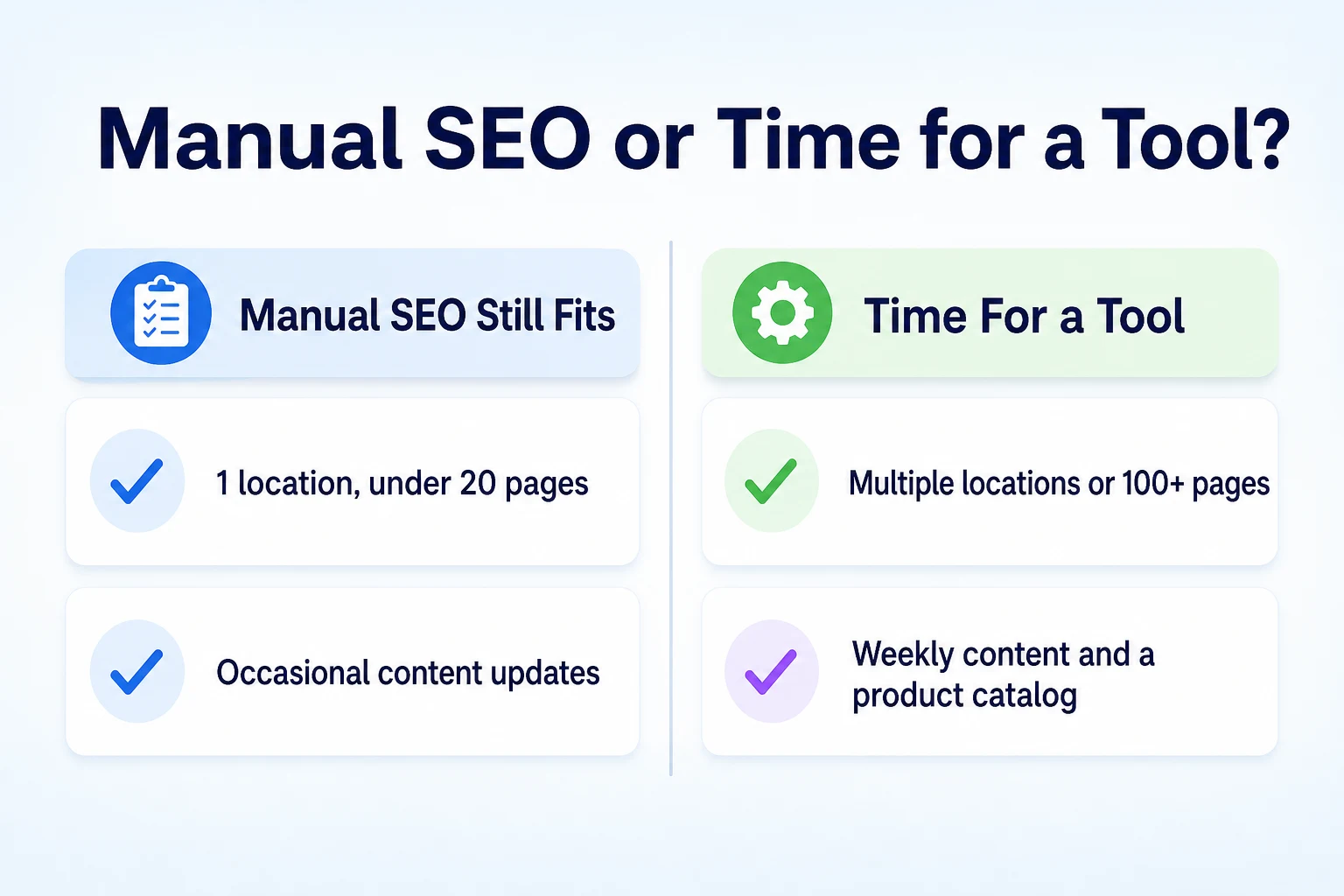
A single location, under about twenty pages, and content that gets updated occasionally rather than on a set schedule, usually means manual work is still realistic. The same is true if one person, or a small team, has the time and willingness to check Search Console and a free tool every week without it becoming a chore that gets skipped.
Signs you've outgrown it
Multiple locations, each needing its own page built around local details, is a common tipping point. So is a product catalog large enough that keeping titles and descriptions current by hand becomes a real job on its own. A blog or content schedule that publishes weekly, rather than occasionally, also tends to outgrow manual tracking fast, since keeping tabs on what's ranking, what's cannibalizing another page, and what needs updating gets harder as the page count climbs. Our guide to local SEO for small businesses covers what multi-location sites specifically need to keep straight, which is often the first thing that stops being manageable by hand.
Site profile | Manual usually fits | A tool usually helps more |
|---|---|---|
Single location, under 20 pages | Yes | Not usually necessary |
2 to 3 locations, occasional content | Often still fine | Worth considering |
4 or more locations | Gets difficult to track | Yes |
Large product catalog | Rarely practical by hand | Yes |
Weekly blog or content schedule | Hard to sustain alone | Yes |
What a dedicated tool can take off your plate
Once a site has actually crossed that threshold, it's worth being specific about which parts of the work a tool genuinely speeds up, rather than assuming a subscription fixes everything at once.
Tasks worth automating
Crawling a large site for technical issues is a good candidate, since checking a hundred pages by hand for broken links or missing tags isn't a realistic weekly task for one person. Keyword research across many pages or locations is another, since a tool can surface patterns across a catalog faster than manual searching ever could. Pulling Search Console data into one place alongside site issues also saves real time once there's enough data to make switching between tabs tedious.
Where it just moves the work, not removes it
Content drafting is where the line gets blurry. A tool can produce a first draft quickly, but someone still needs to check every fact, add details specific to the business, and decide whether the page is actually worth publishing. A tool that drafts and publishes without a review step doesn't remove that work, it just skips it, which creates a different problem down the line. The same goes for a dashboard full of flagged issues: someone still has to decide which ones matter enough to fix first.
What automation can't do, no matter the tool
It's worth being blunt about the limits here, since a sales pitch rarely volunteers them on its own.
What no tool can promise
No SEO automation tool can guarantee a ranking position, a spot in Google's local pack, or a mention in an AI assistant's answer. Google's own documentation on Search Essentials describes what its systems evaluate, crawlability, content quality, and page experience, and nothing in that documentation involves a third-party tool's dashboard. Our guide to how Google decides which sites to rank covers the documented list in full, which is worth checking against any pitch that implies a guaranteed outcome.
A tool also can't replace a Google Business Profile or a Search Console account. Those are Google's own products, tied to verification and ownership of the business itself, and no third-party platform substitutes for either one. A tool can pull data from Search Console or remind you to update a Business Profile listing, but it can't stand in for them.
Judgment calls stay with the owner too. Deciding whether a flagged issue is worth fixing this week, whether a drafted paragraph actually sounds like the business, or whether a competitor's claim is one worth matching are decisions no automation handles on its own. A tool can surface the question. It can't answer it for you.
A framework for deciding: manual, free tools, or a full platform
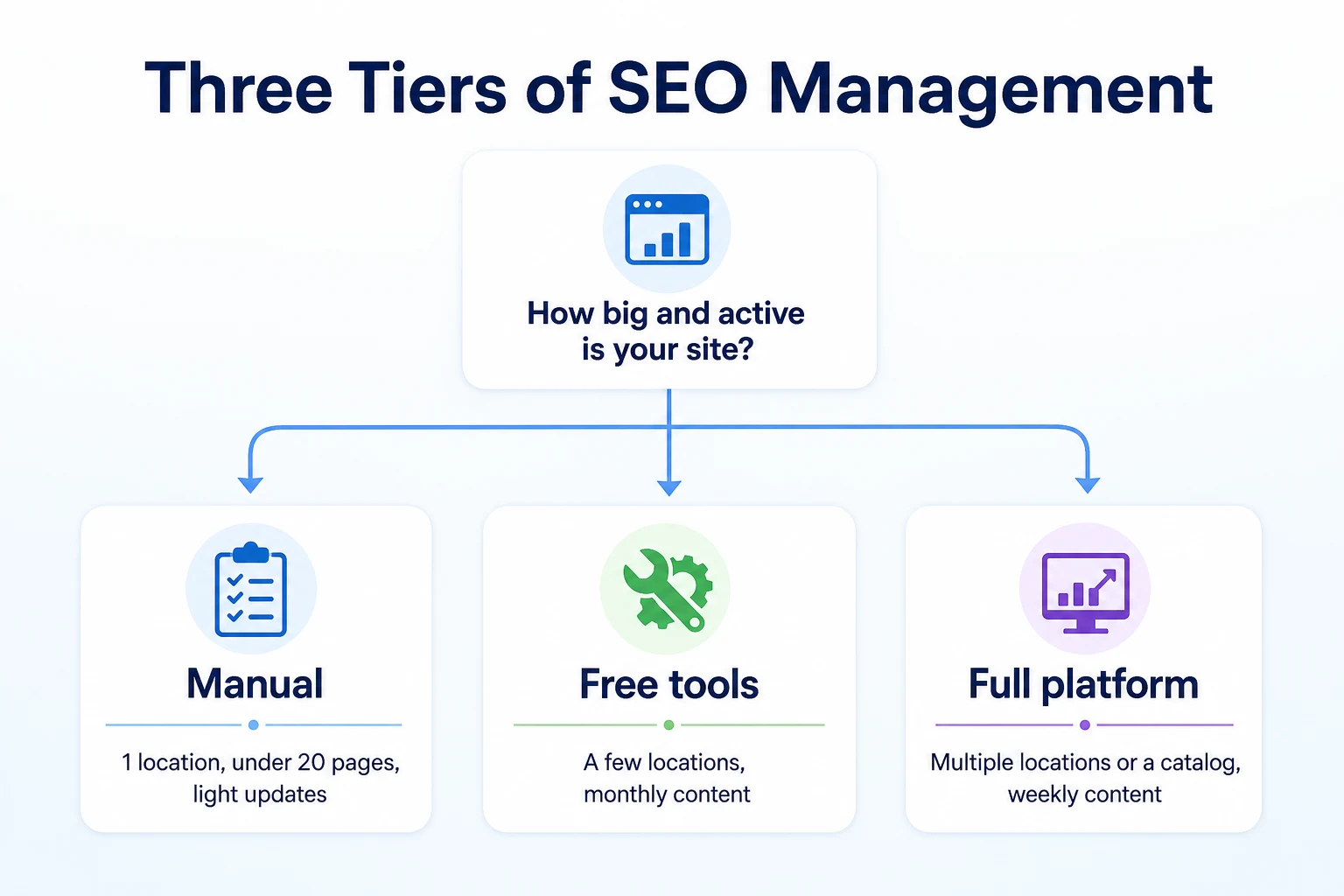
Rather than treating this as a yes or no question, it helps to think in three tiers, each matched to a different kind of site.
Stick with manual
A single location, under about twenty pages, with content that gets updated occasionally rather than on a schedule, usually doesn't need anything beyond a spreadsheet, a calendar reminder, and a regular look at Search Console. The time cost is small enough that paying for automation just adds a bill without saving much real effort.
Add free tools
A site with a few locations, or a content schedule that's picked up to roughly monthly, often sits in a middle zone. Manual work is still doable, but a free checker or two, run consistently, catches more than memory alone would. This is where a lot of small businesses comfortably stay for years without ever needing a paid platform.
Consider a platform
Multiple locations, a product catalog, or content going out weekly is usually the point where the volume of pages and data outpaces what one person checking tools by hand can keep up with. That's not a judgment on the business. It's a reflection of how much there is to track once a site reaches that size.
Tier | Best fit | What it costs you |
|---|---|---|
Manual | 1 location, under 20 pages, light updates | An hour or two a week, no subscription |
Free tools | A few locations, monthly content | A few hours a week, no subscription |
Full platform | Multiple locations or a catalog, weekly content | A monthly fee, plus review time for its output |
What to look for if you do shop for an SEO automation tool
If the framework above points toward a platform, the next question is what actually separates a useful one from a dashboard full of numbers nobody acts on.
Questions worth asking before you buy
Ask whether the audit it runs actually crawls your site, page by page, or whether it's pulling a generic score from a quick scan. Ask whether content it drafts stays as a draft for someone to review before it publishes, or whether it goes live automatically with no check in between. Ask whether its reporting connects to your actual Google Search Console data, or whether it's showing you its own separate numbers that don't match what Google itself reports. RepGet's free website audit is a reasonable way to see what a real crawl-based check looks like before paying for anything, since it's free and doesn't require an account or credit card.
Red flags in a sales pitch
A pitch that promises a specific ranking position, a guaranteed spot on the first page, or a set number of leads by a certain date isn't describing anything Google has documented as possible to promise. A pitch that's vague about whether content publishes automatically or stays as a draft is worth pressing on directly, since that single detail determines how much review work actually falls on you. And a pitch that leans heavily on the word
And a pitch that leans heavily on the word "automation" without explaining what's actually being automated is worth slowing down on, since the specifics matter more than the label.
A worked example: two businesses, two different answers
Imagine two small businesses asking the same question at the same time. This example is illustrative.
The first is a single-location bakery with a twelve-page website: a homepage, a menu, an about page, and a handful of pages for catering and events. The owner updates the site a few times a year, mostly around seasonal menus, and checks Search Console every couple of weeks out of habit more than necessity.
The second is a four-location franchise selling the same baked goods under one brand, with a separate page for each location, a blog that goes out weekly, and a small online ordering catalog. One person is nominally in charge of the website, on top of several other responsibilities.
Factor | Single-location bakery | Four-location franchise |
|---|---|---|
Total pages | 12 | Over 60, including location and catalog pages |
Content schedule | A few updates a year | Weekly blog posts |
Locations to track separately | 1 | 4 |
Hours available for SEO per week | 1 to 2 | 1 to 2, same as the bakery |
Likely fit | Manual, with a free checker run occasionally | A dedicated platform, given the volume relative to available time |
These figures are illustrative.
The bakery's owner can realistically keep up with twelve pages and a few updates a year without any paid tool. The franchise's situation is different not because the business is bigger in revenue, but because the website itself has grown past what one person with an hour or two a week can track across four locations, a weekly blog, and a catalog. Same amount of available time, very different amount of site to manage.
A 30-day plan to test whether you actually need one
Rather than guessing, a month of actual tracking settles the question with real numbers instead of a feeling that SEO has gotten harder to keep up with.
Week | Focus | Tasks |
|---|---|---|
1 | Track your current time spent | Log every minute spent on SEO tasks this week: checking Search Console, updating a page, running a free checker. Be honest about the total. |
2 | Run a free audit and free tools | Run a free website audit and a couple of the free checkers covering robots.txt, sitemap, and meta tags. Note how long it took and what came up. |
3 | List what's actually falling behind | Write down anything that's been sitting unchecked: a location page nobody's updated, a backlog of pages that need new titles, a blog that's stalled. |
4 | Compare time cost against a tool's price | Add up the hours a backlog like that would take to clear manually, and weigh that against what a platform would cost monthly. Decide based on the actual numbers, not the sales pitch. |
A month like this usually gives a clearer answer than any amount of reading about it in advance. Either the backlog turns out to be small enough to clear in a weekend, or it turns out to be the kind of ongoing job that a monthly subscription genuinely offsets.
Common mistakes businesses make with SEO automation decisions
A few patterns show up often enough on both sides of this decision that they're worth naming directly.
Buying a platform before fixing basic technical issues is one of the most common. A tool that drafts content and tracks keywords doesn't help much if the site has a blocked page or a broken sitemap underneath it all. Those issues are usually cheap and quick to fix on their own, and fixing them first often changes how much a platform is even needed.
Trusting a sales pitch that promises a guaranteed ranking is another, and it's worth repeating that nothing in Google's own documentation describes a guaranteed outcome from any third-party tool. A platform that leads with that promise is worth treating with caution regardless of how good its dashboard looks.
Letting AI-drafted content publish automatically, with no person reading it first, causes problems that show up weeks later: an outdated price, a claim that doesn't match the business, a sentence that reads oddly. A review step before anything goes live catches most of this, and it's worth confirming a tool actually offers one before signing up.
Sticking with manual work out of habit after a site has clearly outgrown it is the mistake on the other side. A franchise with four locations and a weekly blog trying to track everything in a single person's spare hour a week usually means something slips, whether that's a stale page, a missed opportunity, or simple burnout on a task that's become bigger than it looks.
Buying a platform before fixing basic technical issues the audit would have caught for free.
Trusting a pitch that promises a guaranteed ranking or Maps position.
Letting AI-drafted content publish with no review step in between.
Sticking with manual tracking long after a site has outgrown what an hour a week can cover.
Where RepGet fits
RepGet brings website auditing, keyword research, content planning, article writing, publishing, and search performance reporting from Google Search Console into one workflow, which covers most of what a platform is actually being asked to do in the framework above. Articles stay as drafts for the business to review before anything publishes, which answers the review question directly rather than leaving it to a vendor's assurance.
RepGet's free website audit crawls a site and gives it a 0 to 100 SEO score, flagging technical and content issues worth investigating. No account or credit card required. Running it costs nothing and takes a few minutes, which makes it a reasonable first step whether the answer turns out to be manual work, free tools, or a full platform.
RepGet doesn't replace a Google Business Profile, a Search Console account, or an owner's judgment about what's worth fixing first. It doesn't guarantee a ranking, a Maps position, or a mention in an AI assistant's answer. What it does is take the repetitive legwork, crawling, drafting, reporting, off a person's plate, while leaving the review and the decisions where they belong.
The bottom line
Whether a site needs a dedicated SEO automation tool comes down to its size and complexity, not how persuasive a sales pitch sounds. A single location with a modest page count and occasional updates usually manages fine with a spreadsheet, a calendar reminder, and a free checker run now and then. A site with several locations, a growing catalog, or a weekly content schedule tends to outpace what an hour or two a week can realistically cover, and that's where a platform starts to earn its cost.
No tool, free or paid, can guarantee a ranking, a Maps position, or an AI assistant mention, and none of them replace the judgment calls that still sit with the business owner. What a good one can do is take the repetitive parts of the work, crawling pages, researching keywords, pulling reports, off your plate, so the hour you do spend goes toward the decisions that actually need a person.
Before signing up for anything, it's worth finding out what your own site actually needs rather than guessing from a sales email.
Find out what your site needs first
See whether your site is big enough to justify a tool, or whether manual work and free checkers still cover it. Run a free website audit with RepGet to see the technical and content issues worth fixing first. No account or credit card required.
FAQ
Is an SEO automation tool worth it for a small business?
It depends on the site's size. A single location with under twenty pages usually manages fine manually, while multiple locations, a catalog, or weekly content tends to outpace what one person can track by hand.
What's the difference between SEO automation and doing SEO manually?
Automation hands off repetitive legwork like crawling pages or drafting reports, but someone still needs to review the output. Manual work means doing each check yourself, which is realistic for smaller sites.
How many pages does a website need before SEO automation makes sense?
There's no fixed number, but sites over about twenty pages, with multiple locations, a product catalog, or weekly content, usually outgrow what manual checks and free tools can keep up with.
Can an SEO automation tool guarantee higher Google rankings?
No. Google's own documentation describes crawlability, content quality, and page experience as what its systems evaluate, and no third-party tool is part of that. Any pitch promising a guaranteed ranking should be treated with caution.
What should I look for before buying an SEO tool?
Check whether it runs a real crawl-based audit, whether drafted content stays as a review step before publishing, and whether its reporting actually ties back to your Google Search Console data.
Do free SEO tools work as well as paid automation platforms?
For a small, single-location site with light updates, free checkers covering robots.txt, sitemaps, and meta tags often cover what's needed. Larger, more complex sites tend to need more than a handful of individual checks.
Will an SEO automation tool replace Google Search Console?
No. Search Console is Google's own product tied to site ownership and verification. A tool can pull data from it into a dashboard, but it can't substitute for the account itself.
How much time does manual SEO take each week?
For a small, single-location site, usually an hour or two a week covers checking Search Console, running a free tool, and the occasional page update, with heavier weeks when new content goes live.